Full-art preview · download has no Preview mark
Office Humor
Me at Attention
Mobile Wallpaper · Digital Download
$2.99 International price · USD
Digital download · Wallpaper files · iPhone & Android
Present, technically.
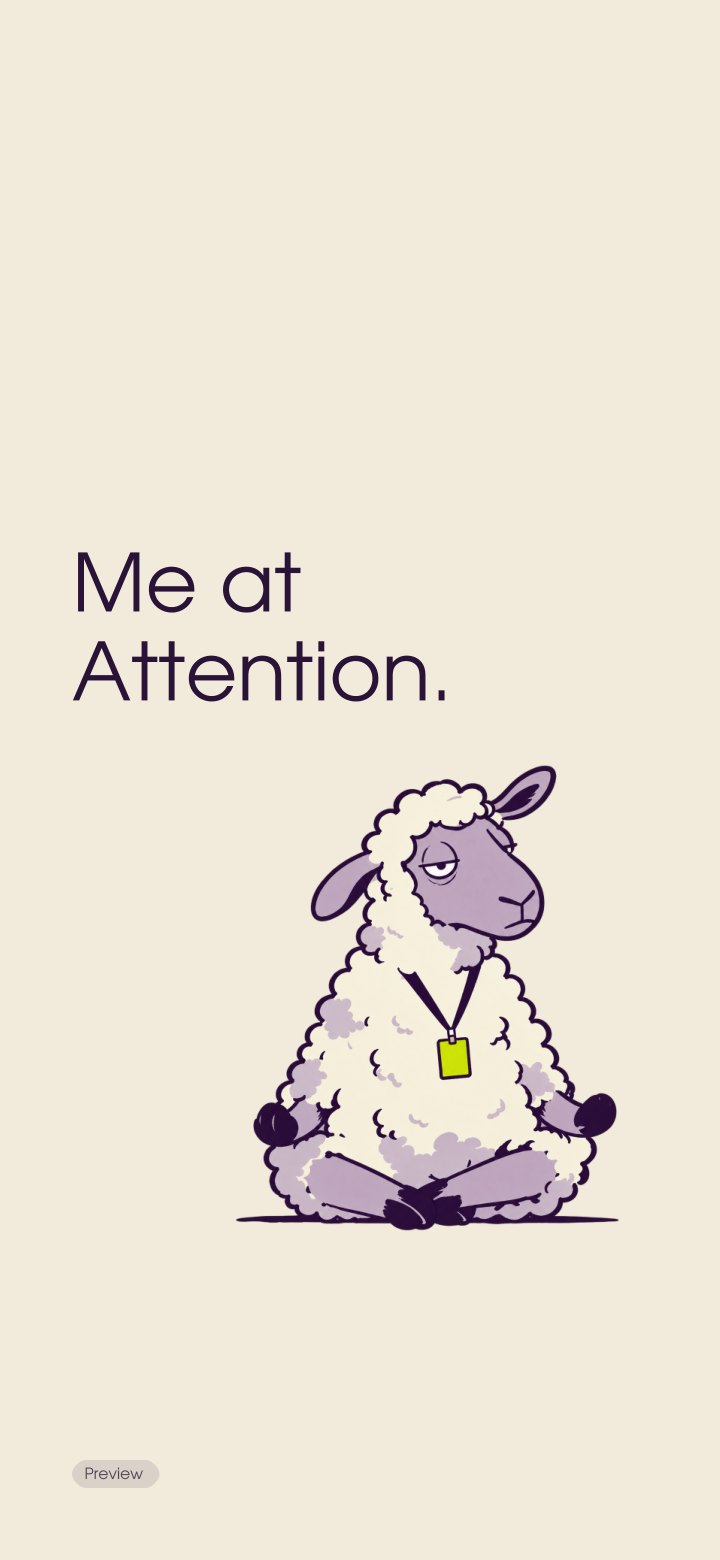
Sitting through the meeting. Attending to very little. Me at Attention puts a half-alert sheep in an office badge and calls it attendance. A cream phone background for meetings where your body has shown up and the rest of you is elsewhere.
Deep purple lettering, a sideways look and just enough lime to identify the employee. The wallpaper reads: “Me at Attention.” The stiff obedience of “at attention” meets a sheep doing the bare minimum.
A small observation for the everyday moment you unlock your phone. Set it on your screen and let the joke find you again.
Format & download details
For your lock screen, home screen or both.
Inside your download
One eight-file ZIP: four sRGB JPG wallpapers, a Wallpaper Setup Guide PDF, a Personal-Use Licence PDF, a quick-start note and a checksum manifest. iPhone: 1440 × 3120 px. Android: 1440 × 3200 px. Each size includes the complete message and an artwork-only edition. The wallpaper artwork carries no logo or signature.
No Preview badges in purchased JPGs.
Select it in your phone's wallpaper settings, then preview the clock, widgets and controls before saving.
Use the complete image as your starting point.
Screen & fit
The top 32% and bottom 15% are clear, with at least 8% side margins around essential artwork and text. Clocks, widgets, screen shapes and automatic zoom vary. Reposition the image or reduce zoom where available. The artwork-only edition offers fewer words for a busier home screen.
Personal use
For your own devices and personal backups. Keep the JPGs, ZIP and guides private. No file sharing, resale or commercial reproduction. Keep the illustration, supplied wording intact. File help: know@mockivation.space with your order reference.
More office observations
Explore the Office Humor collection or browse Mobile Wallpapers for more thoughts to keep on your screen.
How to set your wallpaper
- Download the ZIP after successful payment and extract it in your Files or Downloads app.
- Save the JPG version you want to your phone.
- Choose it through your phone’s wallpaper settings, adjust its position and set it for the lock screen, home screen or both.
Extract the ZIP and save your chosen JPG to Photos or Gallery.
Screen fit & image quality
Four RGB JPGs with embedded sRGB profiles at the dimensions above.
Use the original download rather than a screenshot or storefront preview.
Colours can vary between screens.
Finished wallpaper artwork, not an editable template.
Digital purchases are for personal use. Download access is issued after successful payment when checkout is live; save a personal backup. For file help, email know@mockivation.space.